

Introduction
If you bill by the hour, nothing eats profit like the phrase “following up on those files.” The client forgot the attachment. The ZIP blew your email limit. Someone dumped twelve versions into a Google Drive folder with names like final_v3_really. You did not get into design, accounting, or agency work to become a part-time file wrangler—but here you are, asking again for the W-2, the layered PSD, or the signed contract.
The search intent behind collect files from clients is brutally practical: you want a client file sharing tool that is faster than explaining permissions, kinder than “use our portal,” and reliable enough that work actually ships. That is what SimpleDrop.zip is for—one file upload link for clients, a clear place for uploads, and none of the usual login theatre on their side.
Why collecting client files turns into a part-time job
Email was never meant to be a DAM. Slack is worse: files disappear up the scroll, previews lie, and “just DM it to me” does not scale when you have ten active accounts. Even “serious” tools become friction when a client has to create an account, remember a password, and decode which folder you meant.
The pain shows up in the same few ways: files too large for email, messy Google Drive folders with broken sharing rules, and the quiet shame of resending a link because nobody can find the thread. When you request files online, the method has to be obvious in under ten seconds—or you will be chasing people anyway.
- Attachment amnesia: “Sent!” (they did not.)
- Version soup: five PDFs, zero clarity on which one is binding.
- Permission ping-pong: Drive and Dropbox are powerful—and occasionally cruel—to non-technical clients.
Create your upload link and stop re-writing the same email.
Fast setup · Recipients upload without a SimpleDrop login
What you actually need from file collection software
Good file collection software does not impress people at a conference—it disappears. You need a simple file request tool with a short path from “I need this file” to “it is in my space.” For many freelancers and agencies, that means:
- Upload files without login on the client side (or as close as your risk profile allows).
- A single URL you can paste into email, SMS, or a calendar invite—your file upload link for clients, not a novel.
- Enough structure that you can find what arrived later, without turning the project into a filing lesson for the client.
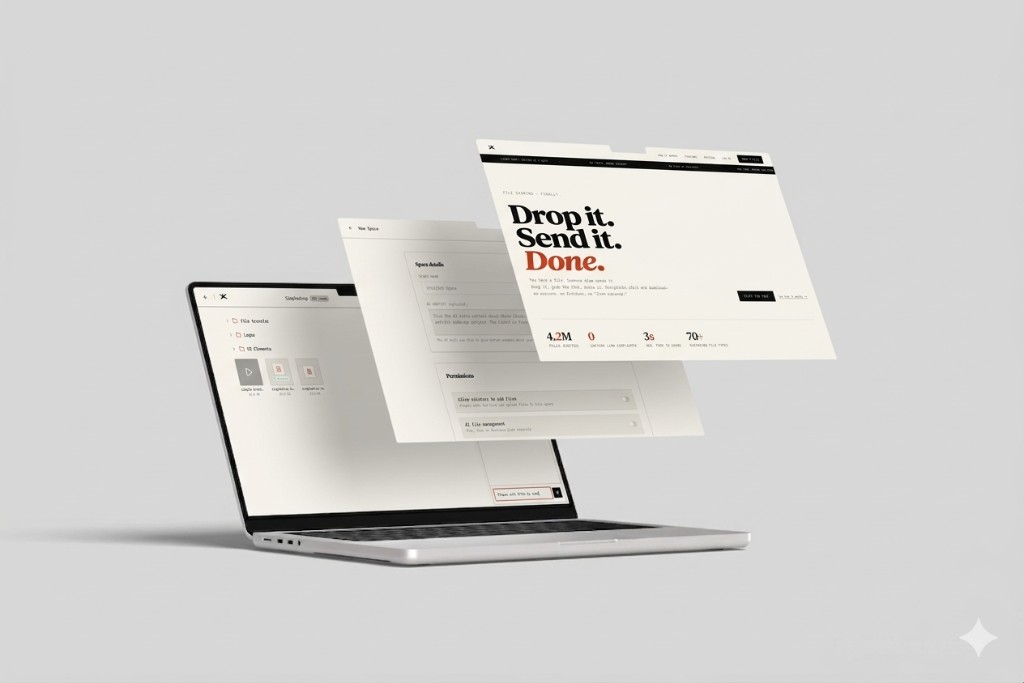
SimpleDrop is built around that job. You create a space, share the link, and collect what you need. Optional AI helps you search and reason about what landed there—useful when you are juggling many clients and similar filenames.
The commercial intent here is not “more software.” It is fewer status meetings disguised as file requests. When your intake path is obvious, you shorten sales cycles, tighten creative reviews, and stop sounding like a broken record in email. That is the outcome people mean when they search for a client file sharing tool instead of another generic storage subscription.
How SimpleDrop helps you collect files from clients
Think of SimpleDrop as the polite version of “drop it here.” You are not asking anyone to learn your internal stack. You are offering a secure file upload for clients that feels as easy as a consumer app—because if it feels like IT homework, they will procrastinate and you will pay for it on the deadline.
When someone opens your link, the job is obvious: add files, upload, done. You stay in control of the space on your side. That is the core of a modern client file sharing tool: clarity for them, ownership for you.
If you are comparing approaches, read how we stack up to generic storage on our homepage and dive into plans on pricing. For compliance-minded teams, our security page outlines how we think about protecting data in transit and at rest.
How it works: from zero to a live client upload link
- Create a space in SimpleDrop—your container for a client, project, or engagement.
- Copy your link (and use QR where it helps, e.g. in-person handoffs).
- Send it once in the channel your client already uses. They upload; you get notified in your workflow.
- Organize and search with AI assistance when you need to find “that one invoice” without opening forty PDFs manually.
Use cases: designers, accountants, agencies, and operators
Designers and creative studios
Brand assets, RAW selects, and packaged InDesign jobs are classic “too big for email” offenders. A stable file upload link for clients keeps intake consistent across retainers—less Slack scavenger hunt, more time in the work.
Accountants and bookkeepers
Tax season is a machine for collecting sensitive documents. Clients already feel exposed; your tool should not add confusion. When people can upload files without login through a link they recognize as yours, you reduce drop-off and support messages.
Agencies and small businesses
You live in parallel universes: Notion, email, Drive, Slack. SimpleDrop gives you a dedicated front door for collect files from clients so intake does not fork across six systems—while still letting you store and reason about files in one coherent space.
Who this is for—and who should skip it
For you if you repeatedly request files online, hate permission spreadsheets, and want a simple file request tool that respects your clients' time.
Maybe not if you need deep enterprise DLP, custom on-prem deployment, or a full document lifecycle suite. SimpleDrop is intentionally focused: collect, share, find—without turning every client into a power user of your stack.
SimpleDrop vs Google Drive, Dropbox, and WeTransfer
These tools are not “bad.” They are built for different jobs. Here is a blunt, practitioner-style read—see also our articles for longer comparisons.
| Tool | Best for | Friction for clients |
|---|---|---|
| SimpleDrop | A dedicated client file sharing tool / intake link; collect many uploads into your space | Low—open link, upload, done |
| Google Drive | Collaboration inside folders you manage long-term | Medium—sharing rules and “where do I put this?” fatigue |
| Dropbox | Synced folders and team storage | Medium—accounts and folder paths get in the way for one-off drops |
| WeTransfer | Sending a bundle from A to B | Low for one-off sends; weaker as a standing intake surface |
FAQs
How do I request files from clients without confusing them?
Send a single SimpleDrop link. They open it, drag files in, and upload—no account creation, no shared-drive maze. You get everything in one place instead of scattered across email and Slack.
Can clients upload files without login?
Yes. That is the point. Recipients use the link you share; they do not need a SimpleDrop account to drop files into your space (you manage the space from your side).
Is this a secure file upload for clients?
You control access with your link settings (for example passwords and expiry where you enable them). Files go to your space—not a public index. For details, see our security page.
What makes SimpleDrop different from Google Drive for collecting deliverables?
Drive is great for storage you already own; it is weaker as a dedicated “drop here” moment. SimpleDrop is built around one clear job: give someone a file upload link for clients, collect what you need, and move on—without messy folder permissions or “request access” loops.
How is this different from WeTransfer for ongoing client work?
WeTransfer is oriented around sending one bundle from A to B. SimpleDrop fits when you want a standing client file sharing tool: the same kind of link, organized around your projects, with AI that can help you search and understand what landed in your space later.
Stop chasing. Start collecting.
You do not need a louder process—you need a quieter one. When you can collect files from clients with a single, durable upload link, you trade thread archaeology for momentum. SimpleDrop.zip is built for that reality: fast setup for you, upload files without login for them, and a calmer inbox for everyone.
Ready? Create a space and share your first client upload link in minutes.
Related: About simpledrop · API docs · Changelog